
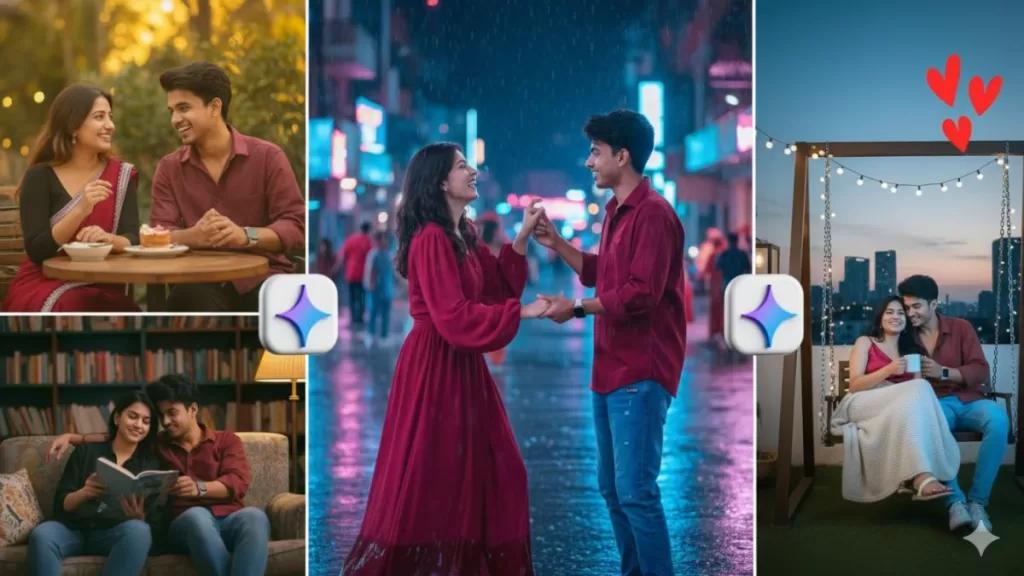
If you want to create professional-quality images using Gemini AI, you need more than just a few words — you need the right prompt. Gemini AI can generate realistic photos, portraits, and creative visuals, but the real magic happens when your prompt is clear, descriptive, and structured.
In this article, you’ll learn how Gemini AI works for image generation, what makes a prompt effective, and get a list of top Gemini AI prompts to create HD photos and lifelike portraits that look camera-shot.
What is Gemini AI?
Gemini AI is Google’s most advanced multimodal AI model, designed to handle text, images, and data together. While earlier AI tools focused on text or art, Gemini can generate photo-realistic images using natural language prompts.
It uses advanced machine learning models trained on high-quality visual datasets, which means it understands lighting, depth, color, and human anatomy in a much more detailed way.
So when you type a clear prompt — like “portrait of a woman in natural light” — Gemini interprets each part (light, pose, background, expression) and generates a realistic result.
How Gemini AI Generates Realistic Portraits
Gemini AI doesn’t just “draw” — it renders. It simulates how a camera lens captures light, textures, and facial details.
Here’s what happens when you input a detailed prompt:
- Scene Understanding: Gemini breaks your prompt into objects, lighting, and emotions.
- Real-World Reference Matching: It matches visual elements from trained datasets.
- Rendering: The AI blends all components — face, light, expression, background — to generate a natural, high-quality image.
That’s why detailed prompts (with light, emotion, and camera angle) create much better results than short ones.
How to Write a Perfect Gemini AI Prompt
Writing a good prompt is like giving instructions to a photographer. The more clearly you describe what you want, the closer the output will be to reality.
Follow these five simple steps:
- Subject – Who or what you want (e.g. young woman, businessman, artist).
- Style – Realistic, cinematic, studio, vintage, etc.
- Lighting – Natural light, soft glow, golden hour, studio setup.
- Background – Plain white, blurred bokeh, outdoor scenery.
- Camera Settings – DSLR effect, 50mm lens, shallow depth of field.
Example:
“Realistic portrait of an Indian woman wearing a saree, smiling in daylight, soft bokeh background, DSLR lens, 8K detail.”
Top Gemini AI Prompts for High Quality Photos
Here are some tested prompts you can use directly in Gemini AI for HD images and realistic portraits:
1. Studio Portrait Prompt

“Professional studio portrait of a man in a formal suit, clean background, soft lighting, DSLR depth of field, 8K resolution.”
Use this for corporate headshots or profile photos.
2. Natural Light Portrait Prompt
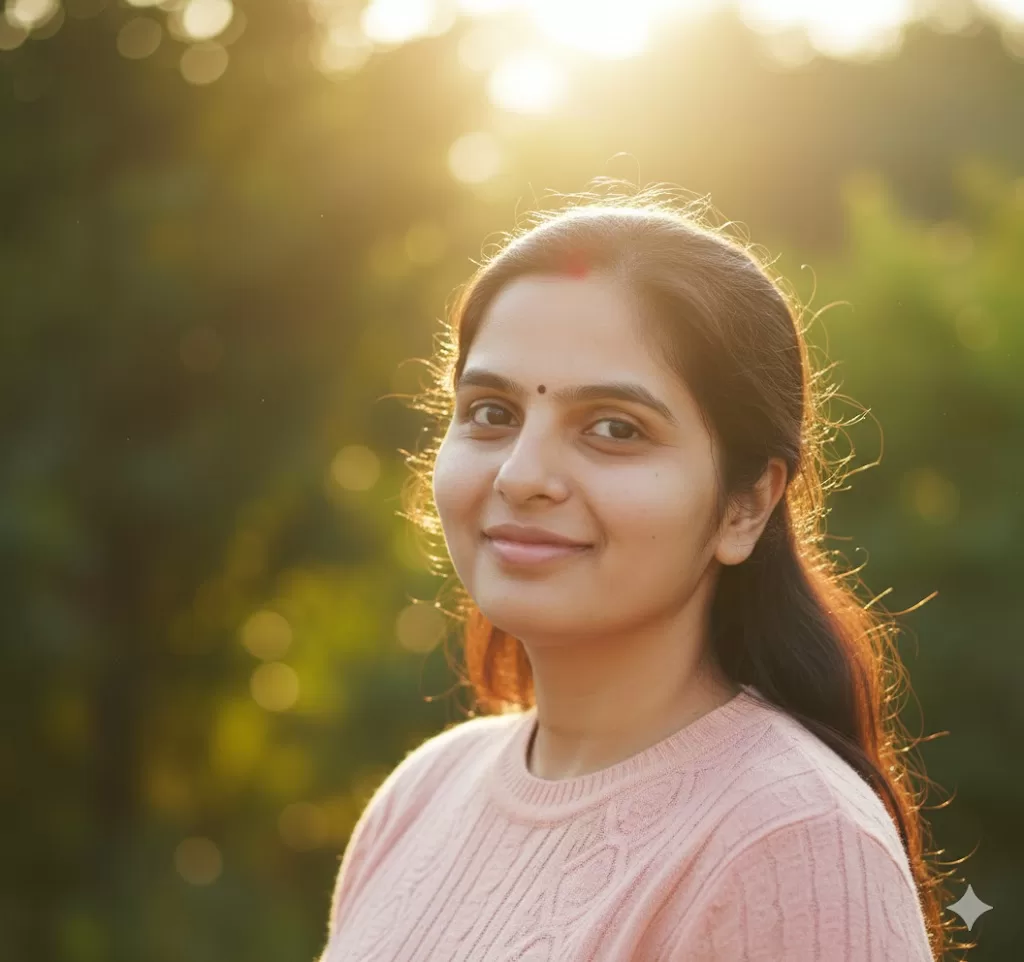
“Portrait of a woman in sunlight, natural smile, shallow depth of field, soft bokeh background, realistic details.”
Perfect for outdoor lifestyle photography.
3. Cinematic Mood Prompt
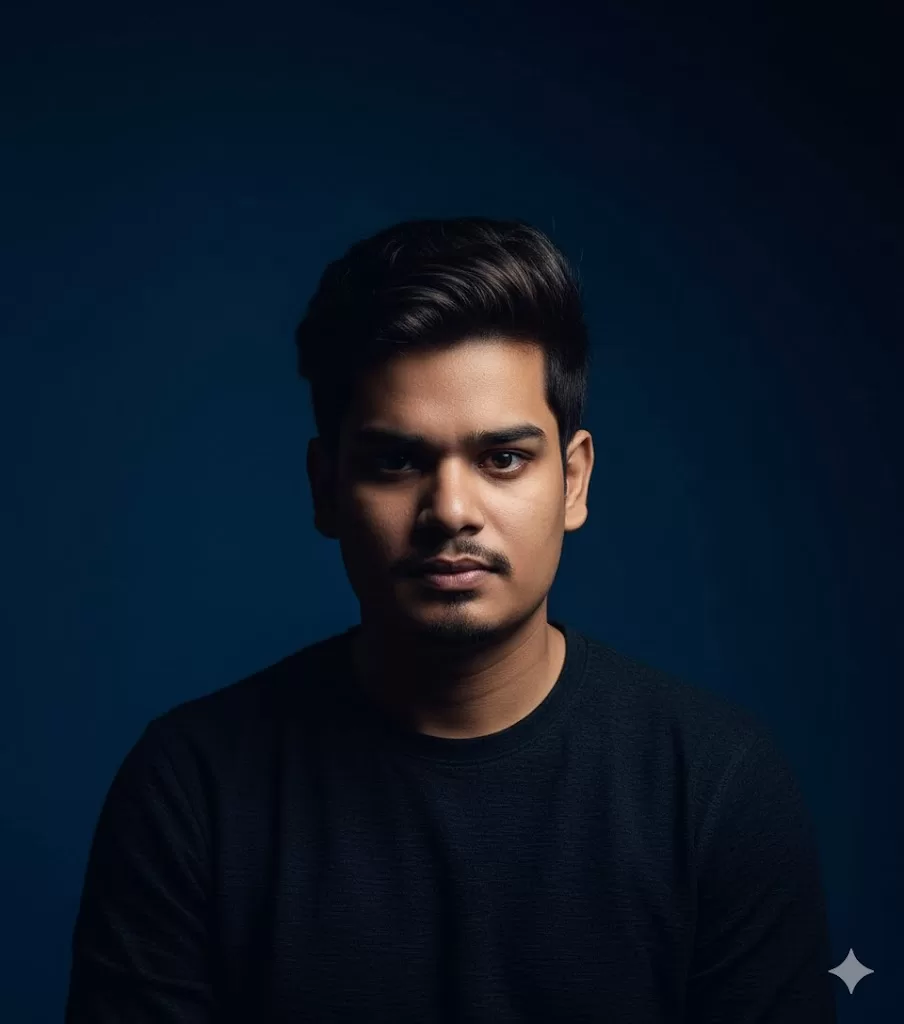
“Cinematic portrait of a man in moody lighting, dark blue background, 85mm lens, high contrast, soft shadows.”
Gives a film-like, dramatic effect for creative projects.
4. Lifestyle Portrait Prompt

“A woman holding a coffee cup near a window, sunlight glow on face, modern cafe background, 4K DSLR effect.”
Looks great for blogs, influencers, and digital magazines.
5. Realistic Selfie Prompt
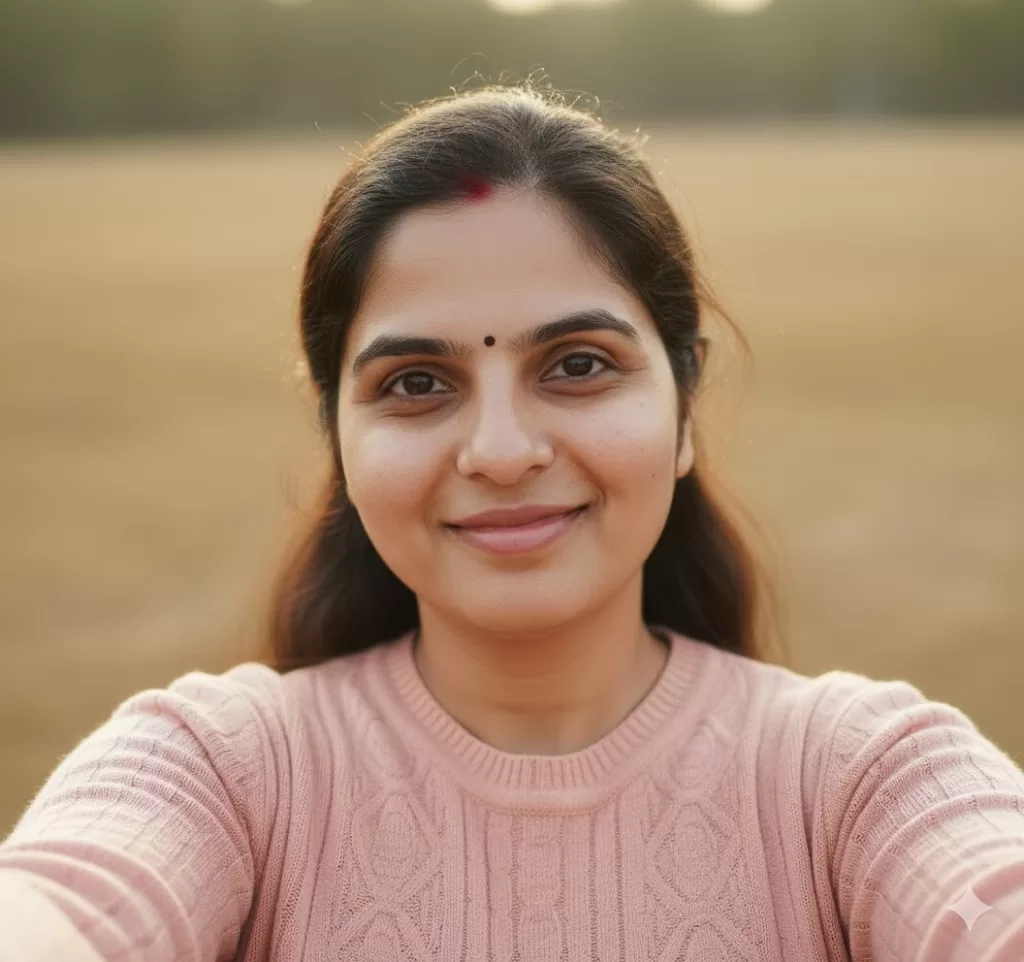
“Close-up selfie of a smiling woman, front camera angle, natural lighting, smooth background, high detail skin texture.”
Ideal for creating realistic face images or profile avatars.
6. Fantasy Portrait Prompt
“Realistic portrait of a warrior woman in silver armor, glowing eyes, misty background, ultra-detailed texture, cinematic light.”
For artistic and fantasy-style projects.
Tips to Improve Realism in Gemini AI Photos
If your generated image looks artificial, tweak your prompt with these quick fixes:
- Add “8K resolution”, “cinematic lighting”, or “ultra-realistic texture”
- Mention camera lens: “shot on 50mm lens” or “85mm DSLR lens”
- Describe facial expressions: smiling, confident, serious
- Set lighting conditions: golden hour, studio light, sunlight
- Control background: blurred bokeh, city street, plain studio
The more precise your description, the more accurate and realistic your image.
Why Choose Gemini AI for Photo Creation?
- High Realism – Faces, eyes, and lighting look true-to-life.
- Professional Detail – Skin texture, shadows, and reflections feel camera-shot.
- Custom Style Control – You can create cinematic, corporate, or creative looks easily.
- No Need for Editing – Images often look post-processed automatically.
- Fast Results – Generate HD visuals in seconds, no photoshoot needed.
Gemini AI is ideal for designers, content creators, bloggers, and marketers who want professional visuals without expensive equipment.
Use Cases for Gemini AI Portraits
- LinkedIn Headshots: Professional portraits with studio light
- YouTube Thumbnails: Eye-catching, cinematic images
- Blog Banners: HD lifestyle visuals
- Ad Campaigns: Realistic models and scenes
- Personal Branding: Custom avatars and profile photos
Final Thoughts
The key to creating high-quality photos and realistic portraits with Gemini AI lies in writing the right prompt. When your prompt includes lighting, emotion, style, and camera details, Gemini AI produces results that look like real photographs.
Use the sample prompts above as your starting point. Then experiment — adjust lighting, change backgrounds, or add emotion until your image looks perfect.
With Gemini AI, anyone can become a digital photographer — no camera required.

I focus on crafting content for national and state government exams, aiming to simplify exam information for aspiring candidates, helping them gain clarity and confidence. With firsthand experience as a former aspirant, I offer a unique perspective in my work. My content covers a range of essential topics such as exam notifications, syllabi, admit cards, and results. You can find more detailed information at: www.sscgovtjobs.com