
Driving License Update: In today’s time, the government has made it compulsory to keep your mobile number updated with your Driving License (DL). Without it, you may face difficulties while using online services related to your driving license. From renewal to address change, every update now requires an OTP verification. If your mobile number is not linked, you will not be able to complete these processes smoothly.
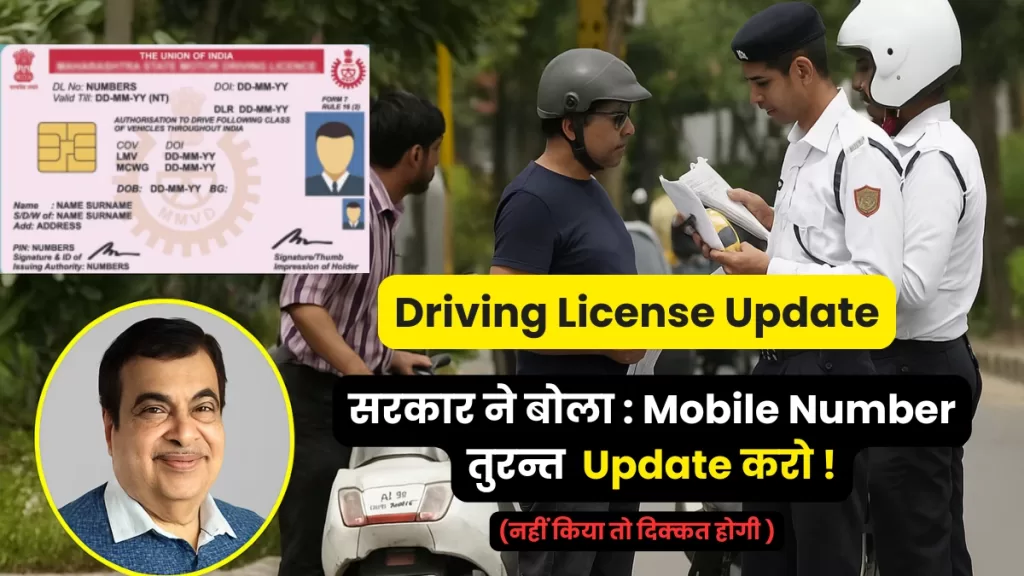
But the good news is that you don’t have to stand in long queues or visit the RTO office. You can now update your mobile number with your driving license online in just a few minutes. In this article, we will explain everything you need to know — why it is important, step-by-step process, documents required, and some common FAQs.
Why Is Mobile Number Update in Driving License Important?
Many people think updating the mobile number is not necessary. But the government has made it mandatory for some very important reasons:
- OTP Verification – For every online DL service (renewal, duplicate license, address update, international driving permit), OTP is sent on your registered mobile number.
- Security – Linking your mobile ensures that no one else can misuse your driving license details.
- Quick Updates – If there is any change or notice from the RTO, you get instant SMS alerts.
- Digital India Initiative – Government is trying to make services paperless and faster. Mobile number linking is part of this digital system.
Who Needs to Update Mobile Number in Driving License?
- People who took their driving license years ago but never gave a mobile number.
- Those who changed their mobile number but did not update in the DL database.
- Anyone who wants to apply for online DL services but is unable due to old or wrong mobile number.
So, if your driving license is not linked with your active number, you must update it immediately.
How to Update Mobile Number in Driving License Online?
The process is very simple and can be done from your mobile phone or laptop. Follow these steps carefully:
Step 1: Visit Parivahan Portal
- Go to the official website of Parivahan Sewa: https://parivahan.gov.in
Step 2: Select “Driving License Related Services”
- On the homepage, click on Online Services > Driving License Related Services.
- Choose your state from the dropdown list.
Step 3: Login with License Details
- Enter your Driving License Number and Date of Birth.
- Fill the captcha and click on submit.
Step 4: Choose “Update Mobile Number”
- After login, you will see multiple options.
- Select Update Mobile Number.
Step 5: Enter New Mobile Number
- Type your new 10-digit mobile number.
- You will get an OTP on this number.
Step 6: Verify OTP
- Enter the OTP and confirm.
- Your mobile number will be updated successfully.
Documents Required for Mobile Number Update
In most cases, no physical documents are required. However, you may need:
- Driving License Number (mandatory).
- Date of Birth (as per DL).
- Aadhaar Linked Mobile Number (for OTP verification).
If the online option is not working, you may have to visit the nearest RTO office with:
- A photocopy of your driving license.
- Aadhaar card for ID proof.
- A simple application requesting mobile number update.
What If You Don’t Update Your Mobile Number?
If you don’t update your mobile number, you may face these issues:
- You cannot apply for renewal of your driving license online.
- Duplicate license application will not be possible.
- Address update and correction requests will fail.
- No SMS alerts from RTO (like challan details, license expiry).
This may cause unnecessary delays and sometimes even penalties.
Benefits of Updating Mobile Number in DL
- Faster Online Services – No need to visit RTO again and again.
- Digital Records – Your license details remain safe in the central database.
- SMS Alerts – Expiry reminder, challan alerts, and other updates come directly on your phone.
- Easy Access to DigiLocker – You can easily fetch your DL in DigiLocker app using mobile OTP.
Common Problems and Their Solutions
Problem 1: OTP not received.
- Solution: Check if your number has SMS services active. Sometimes OTP may get delayed due to network.
Problem 2: Wrong mobile number linked.
- Solution: Visit the RTO office with your ID proof and request correction.
Problem 3: Website not working.
- Solution: Try after some time or use a different browser (Chrome works best).
FAQs on Driving License Mobile Number Update
Q1. Can I update mobile number in DL without Aadhaar?
Yes, Aadhaar is not compulsory. But an active mobile number is required for OTP.
Q2. How much time does it take to update mobile number in DL?
The update is instant in most cases.
Q3. Is there any fee for updating mobile number?
Currently, no fee is charged for online mobile number update.
Q4. Can I update mobile number in DL offline?
Yes, by visiting the RTO office with your DL copy and ID proof.
Q5. Do I need to update mobile number again if I shift to another state?
No, once updated, it stays in the central database.
Final Words
Updating your mobile number in your Driving License is not just a formality — it has become a mandatory requirement. Without it, you cannot use many online services. The government has made the process simple and 100% online.
So, if you have not yet updated your mobile number in your driving license, do it today. It hardly takes 2 minutes from your mobile and saves you from big trouble later.
escription + suggested keywords for this article so that you can directly upload it on your website?

I focus on crafting content for national and state government exams, aiming to simplify exam information for aspiring candidates, helping them gain clarity and confidence. With firsthand experience as a former aspirant, I offer a unique perspective in my work. My content covers a range of essential topics such as exam notifications, syllabi, admit cards, and results. You can find more detailed information at: www.sscgovtjobs.com